SESSION NOTE 02 / MODULATION
BPM to Hz for LFO Sync: Rates, Phase & Note Divisions
Translate a musical cycle into Hz, then check the phase and retrigger settings that make it land correctly.
THE SHORT ANSWER
For one LFO cycle per quarter-note beat, Hz = BPM ÷ 60. At 120 BPM, use 2 Hz for quarter notes, 4 Hz for eighth notes or 0.5 Hz for whole notes. Matching this rate does not, by itself, place the start of the cycle on the beat.
Try 120 BPM · eighth-note LFO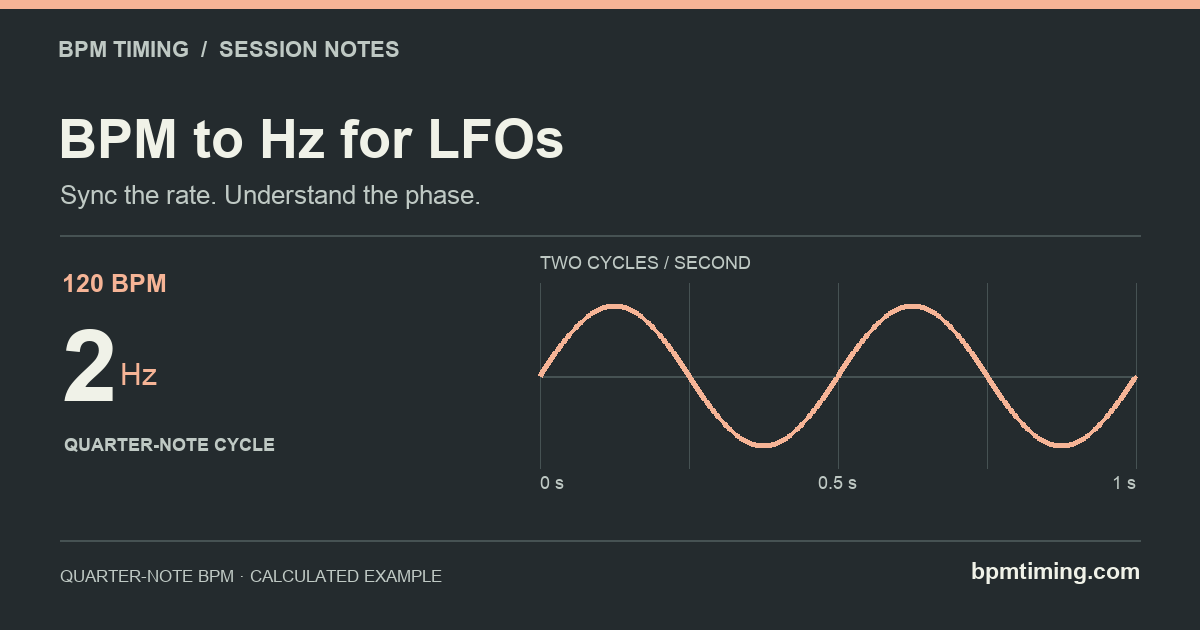
Decide what one cycle should cover
Hz means cycles per second. A 2 Hz LFO completes a cycle every half-second. A 0.5 Hz LFO takes two seconds. Start by choosing the length of one complete modulation pattern, rather than the number of times a particular sound seems to pulse.
For quarter-note BPM and a note denominator n, the straight-note rate is BPM × n ÷ 240. For example, an eighth-note cycle at 120 BPM is 120 × 8 ÷ 240 = 4 Hz.
Dotted: divide the straight rate by 1.5
Triplet: multiply the straight rate by 1.5
A dotted cycle is longer, so its frequency is lower. A triplet cycle is shorter, so its frequency is higher. This is the inverse of multiplying note durations: applying the duration multiplier directly to Hz gives the wrong answer.
Swipe the table to compare all columns.
| Cycle length | Period (ms) | Rate (Hz) |
|---|---|---|
| Whole | 2000 | 0.5 |
| Quarter | 500 | 2 |
| Eighth | 250 | 4 |
| Dotted eighth | 375 | 2.666667 |
| Eighth triplet | 166.667 | 6 |
| Sixteenth | 125 | 8 |
Rates are rounded to six decimals here. A dotted eighth at 120 BPM is 2.666666… Hz; the calculator copies 2.666667. It is a rhythmic rate, not the pitch of an audio note.
Move the value into your session
- Prefer host sync when it offers the cycle you need. Select the note division in your plug-in, especially if the song has tempo changes.
- Use Hz for a free-rate control. Enter the project BPM in the calculator, select the note and timing type, then switch to Hz. Copy the selected number into the rate parameter.
- Check the units on the device. A note fraction and a fraction of a bar are not always equivalent. In 4/4, a whole-note cycle is one bar; in 3/4, a whole note spans four quarter beats while a bar spans three.
- Check the start position separately. Play from a known point and inspect the plug-in’s phase, retrigger or transport-sync options. Keep the rate fixed while adjusting where the movement starts.
Output Arcade’s LFO documentation distinguishes tempo divisions in Sync mode from Hz in Free mode. FabFilter Saturn 2’s XLFO documentation uses bars for synchronized cycle lengths and separately describes MIDI retrigger and phase offset. Those labels are product-specific, so check your own plug-in rather than assuming “1/4” always means a quarter note.
Open 128 BPM · dotted eighth in HzThe rate can be right while the phase is wrong
Swipe the diagram to follow the full timeline.
Imagine two cycles that both take 500 ms. One begins at the start of the bar; the other begins 125 ms later. Both are 2 Hz, but their high and low points arrive at different moments. Changing the rate to fix that offset also changes the cycle length.
Look for phase or reset controls instead. A note-retrigger mode may restart the pattern on each MIDI note, while a free-running mode may continue through new notes. The exact behavior depends on the device. The diagram shows a simple phase difference; it is not a measurement of plug-in timing accuracy.
Rounding, clock differences or rate modulation can introduce drift. Entering a numerical rate does not establish a shared clock. For a tempo ramp, a fixed Hz setting also stops matching the intended note duration as soon as the BPM changes.
Three useful checks before changing the number
- The movement seems twice as fast.
- Confirm the selected note division and observe one complete waveform. A complex shape can create several audible changes within a single cycle, depending on what it modulates.
- New notes keep interrupting the pattern.
- Inspect note retrigger. If it resets every note, frequent notes can prevent a long cycle from reaching its end.
- The cycle is one bar long in 4/4 but not in another meter.
- Count quarter-note beats per bar. At 120 quarter-note BPM, a 3/4 bar lasts 1.5 seconds, so one cycle per bar is 0.666667 Hz. The calculator’s whole-note row remains 2 seconds, or 0.5 Hz; it is not a bar-length selector.
For the period-to-frequency derivation and precision limits, see the calculation method. If you are setting echo spacing, use the dotted eighth delay guide.
Sources & calculation notes
- Output Arcade: LFO modulation, Sync/Free and retrigger
- FabFilter Saturn 2: XLFO rate, bar units and MIDI sync
Sources checked October 31, 2026. Numerical tables use the formulas and precision described in our method, using the same math as the calculator. Device references describe documented behavior; they are not claims of hands-on testing or affiliation.