SESSION NOTE 06 / METER
6/8 BPM Conversion: Dotted Quarter to Quarter-Note Tempo
Keep the performance at the same speed when a score, click and plug-in count different note values.
THE SHORT ANSWER
Multiply dotted-quarter BPM by 1.5 to get quarter-note BPM. A 6/8 marking of dotted quarter = 80 is quarter = 120, or eighth = 240. These describe the same speed with different counted units. Enter 120 in this site’s calculator.
Dotted quarter 80 → quarter BPM 120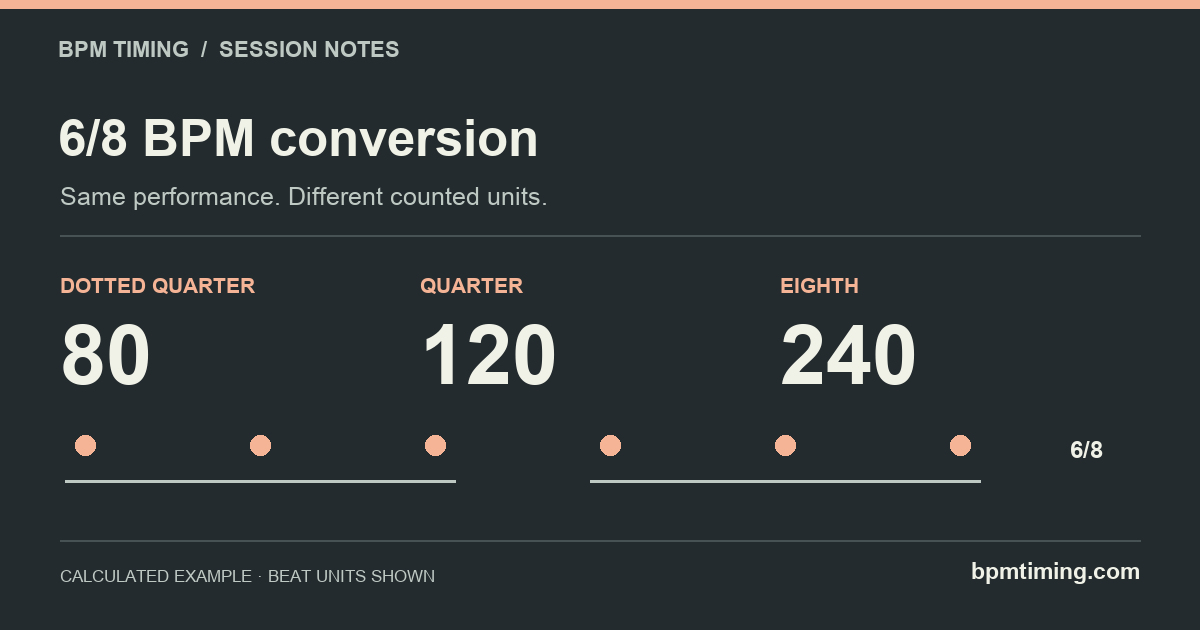
The note beside the tempo is part of the number
“80 BPM” specifies 80 events per minute, but you also need to know which note each event represents. A score can count dotted quarters while a timing tool expects quarters. Entering the printed number unchanged changes the result even though the song has not changed speed.
Open Music Theory describes compound meter as a beat divided into three. In the usual compound-duple grouping of 6/8, six eighth notes form two dotted-quarter beats. Its rhythmic-values reference explains why a dotted quarter spans three eighths. This does not mean every slow 6/8 passage must use a dotted-quarter click; an explicit eighth-note tempo marking takes priority.
Eighth BPM = dotted-quarter BPM × 3
Dotted-quarter BPM = quarter BPM ÷ 1.5
The conversion changes the unit being counted. It does not speed up the audio. At dotted quarter = 80, each pulse lasts 750 ms. The same duration contains 1.5 quarter notes of 500 ms or three eighth notes of 250 ms.
Dotted-quarter to quarter-note conversion chart
Swipe the table to compare all columns.
| Dotted-quarter BPM | Quarter BPM | Eighth BPM | One 6/8 bar (s) |
|---|---|---|---|
| 40 | 60 | 120 | 3 |
| 50 | 75 | 150 | 2.4 |
| 60 | 90 | 180 | 2 |
| 70 | 105 | 210 | 1.714 |
| 80 | 120 | 240 | 1.5 |
| 90 | 135 | 270 | 1.333 |
| 100 | 150 | 300 | 1.2 |
| 120 | 180 | 360 | 1 |
For example, dotted quarter = 60 maps to quarter = 90, not quarter = 180. The factor of three converts the dotted-quarter count into eighth-note BPM. Applying that factor to a quarter-note field doubles the intended speed.
If the score instead says eighth = 120, use quarter = 60. A bar contains six of those eighths and lasts 3 seconds. Time signature alone cannot tell you which of these tempo markings the composer intended.
Set delay and LFO timing without losing the grouping
- Identify the source unit. Read the note symbol beside the tempo. If you only have a tap estimate, decide whether you tapped the two larger pulses or all six subdivisions.
- Convert to the tool's input convention. This site always uses quarter-note BPM. For dotted quarter = 80, enter 120. If your DAW already displays quarter = 120, do not convert it a second time.
- Select the interval you want to hear. At that tempo, a dotted quarter is the 750 ms larger pulse; a straight eighth is a 250 ms subdivision. A dotted eighth is 375 ms, half of that larger pulse.
- Check the device's labels. A fraction of a bar, a fraction of a whole note and a count of subdivisions can have different meanings. Confirm the manual and audition a short passage against the click.
Swipe the table to compare all columns.
| Target interval | Calculator selection | Time (ms) | Cycle rate (Hz) |
|---|---|---|---|
| Large 6/8 pulse | Dotted 1/4 | 750 | 1.333333 |
| Eighth subdivision | Straight 1/8 | 250 | 4 |
| Half the large pulse | Dotted 1/8 | 375 | 2.666667 |
For an LFO that completes one cycle on every large pulse, the calculated rate is 80/60 = 1.333333… Hz. At 120 quarter-note BPM this is the dotted-quarter row, not the straight-quarter row. Rate matching still does not set phase; see the LFO sync guide.
Compare the 250 ms eighth subdivisionThree checks for a mismatched click or loop
- The metronome clicks six times but I feel two beats.
- It may be clicking eighth-note subdivisions. Count three clicks per larger pulse. That alone does not mean the project tempo is wrong.
- The delay is one-and-a-half times too long.
- Check whether you entered dotted-quarter BPM into a quarter-note field. Entering 80 instead of 120 makes every selected note 1.5 times as long.
- 6/8 and 3/4 show the same bar length.
- At the same quarter-note BPM, both contain three quarter notes of duration per bar. The grouping differs: two groups of three eighths versus three groups of two. Equal length is not equal meter.
At dotted quarter = 80, one 6/8 bar is 1.5 seconds and four bars take 6 seconds. Use that as an independent range check in your DAW. The bars-to-seconds guide shows the general formula, including other meters.
When exchanging a session note with another musician, write “6/8, dotted quarter = 80; calculator quarter BPM = 120.” Including both units avoids asking the recipient to infer your counting convention.
Sources & calculation notes
Sources checked November 1, 2026. Tempo equivalences and durations are calculated from note-length ratios. The examples keep performance speed fixed while changing the named beat unit; they do not analyze an audio recording. Device references describe documented behavior; they are not claims of hands-on testing or affiliation.